Transferring a helpdesk issue to someone else
Changing the person currently in charge of a helpdesk issue.
Click the change button

Only the person currently in charge of a helpdesk issue can transfer it to someone else. Click the assign button (1) to select a new person to transfer the helpdesk issue to.
Confirm action
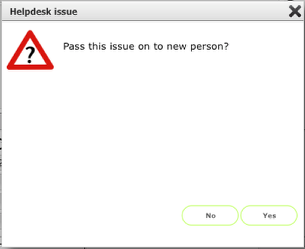
Click Yes to proceed.
Confirm action (release to team option)
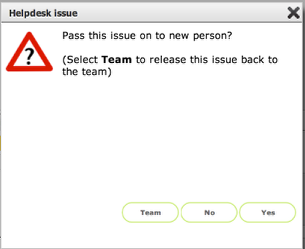
If the Helpdesk issue was originally assigned to a team, you have a further option here to release the issue back to the team so that someone else can pick it up instead. Click the Team button to do this.
NOTE: All reassignments of issues are logged as events, linked as appropriate to the issue itself and the relevant team and or individual/s.
Select new person in charge
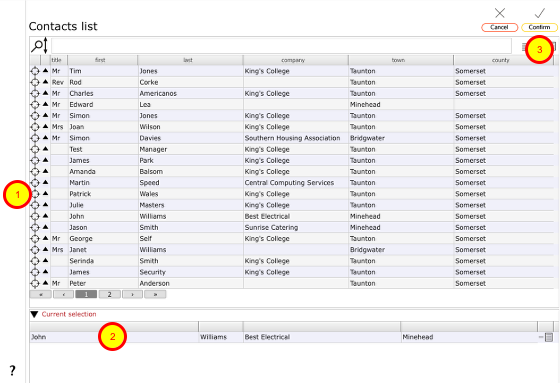
If you have chosen to pass the issue on to someone else you will see the contact selection list.
- Click the target button on the appropriate line to select the new person.
- The selected name will show in the Current selection.
- Then click Confirm to proceed.
Change of person in charge confirmed

On the helpdesk issue record, the person in charge will change to the newly selected person.
Event log

Whenever a helpdesk issue is passed on to someone else, the event is logged in the events list. Click the Goto button (1) next to the relevant event to view the event.
The event card
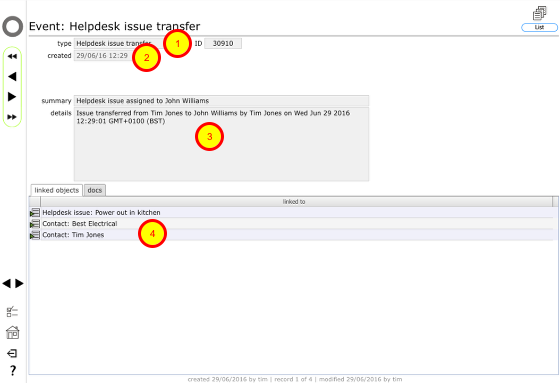
The event confirms the helpdesk issue transfer (1), the date of transfer (2), who it was transferred from and to (3) and the records linked to the event (4).